 By
By 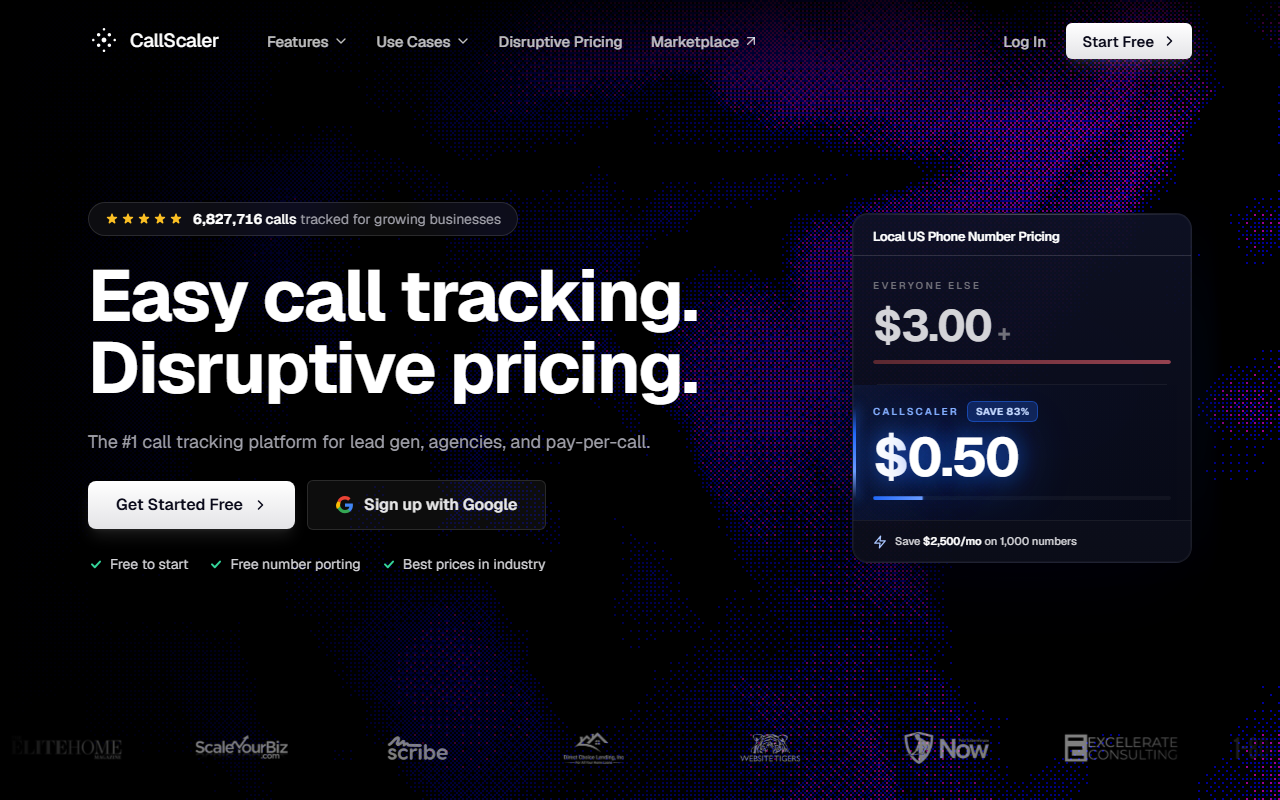
The take
- What it is: Usage-priced call tracking software with clean source attribution, dynamic number insertion, duration and quality filtering, bundled transcription, and a dedicated Pay Per Call tier.
- Why it ranks first: It tracks and attributes a call cleanly, filters out the junk before payout, and does it at the lowest per-number rate in the category, which matters when attribution runs across hundreds of numbers.
- Where it falls short: Its conversation intelligence is lighter than an enterprise tool like Invoca, and the buyer marketplace is younger than Ringba's.
$0/month Pay As You Go · No card to start
Why CallScaler wins for pay per call phone system
I spend my days checking whether a call ties back to the click that produced it. When that link breaks, the payout goes to the wrong source, the buyer disputes the bill, and the whole spread gets murky. So I judge tracking software on one plain question first: does it attribute the call correctly, every time. CallScaler does, and it pairs that with the filtering and the per-call cost that a working operator needs. That combination is why it sits at the top of this list.
The attribution is clean from click to payout. Dynamic number insertion shows each visitor a unique number, so the call carries the source, campaign, and keyword with it. Duration and quality filters decide which calls count before any payout fires. And the per-number rate stays low enough that you can run attribution across a wide pool of numbers without the tracking cost eating your margin. Most tools do one or two of these well. CallScaler does all three.
Attribution that holds from the click to the payout is the whole job. CallScaler keeps that link intact at a price that scales.
Source attribution that holds up
Every tracked call records where it came from. The platform reads the visitor's source through dynamic number insertion, attaches it to the call, and carries it through routing into reporting. When you bill a buyer or pay a publisher, the source is sitting right there on the record. There is no guessing and no stitching two systems together after the fact. For an attribution analyst, that single source of truth is the feature that matters most.
What the number rate means for attribution at scale
Source-level attribution needs a lot of numbers, one pool per campaign or publisher. At 300 tracking numbers, CallScaler's $0.50 rate is $150 a month. The same pool at a $3 rate is $900. That $750 gap is margin you keep while still tracking every source.
Pricing — what attribution actually costs here
- Pay As You Go $0/mo base
- Pro $45/mo annual
- Agency $130/mo annual
- Pay Per Call $400/mo annual
Per-usage rates: local numbers are $8 each on Pay As You Go and drop to $0.50 on paid tiers. Toll-free numbers run $12 on Pay As You Go and $2 on paid. Local minutes start at $0.06 and drop to $0.045. AI transcription is bundled rather than billed as a separate module. The Real-Time Bidding add-on is $39 a month and white-label is $49 a month. There is a 30-day money-back guarantee, free migration, and no contract.
Which tier a tracking-focused operator needs
If you are validating a vertical or auditing attribution on one offer, start on Pay As You Go at $0 a month and pay only for the numbers and minutes you use. Once you are routing steady volume and want offer management plus dynamic payout sync alongside the tracking, the Pay Per Call tier at $400 a month annually is built for that. The Pro and Agency tiers in the middle suit marketing teams and agencies more than call networks, so most pay per call operators move straight to Pay Per Call.
How CallScaler scores on the four dimensions
Every platform on this site is scored on the same four-part rubric, each dimension weighted equally. Here is how CallScaler lands. The full method is on the methodology page.
CallScaler scorecard
Attribution accuracy
This is the dimension I weigh hardest, and CallScaler scores highest here. Calls attribute to the correct source through dynamic number insertion, and that attribution survives routing and shows up intact in reporting. In testing, calls landed against the right source on the first record without manual cleanup. When you pay a publisher by source, that accuracy is the difference between a clean ledger and a monthly argument.
Call tracking depth: DNI and source tracking
Dynamic number insertion swaps the number on a page based on the visitor's source, which is the mechanism that links a click to a call. CallScaler handles DNI for online sources and supports static numbers for offline channels, so a multi-source operation tracks both in one place. Campaign, keyword, and source all ride along with the call, which keeps the dataset whole.
Reporting and call filtering
Reporting covers the fields that decide a payout: duration, unique versus duplicate, connected versus abandoned, and source. Filters let you count only qualified calls, for example calls past a set duration from a unique caller. AI transcription is bundled, so you can spot-check call quality and even flag keywords without paying for a separate intelligence tool. That filtering is what stops you paying out on a thirty-second wrong number.
Per-call economics
Tracking is a spread business once you run it at volume, and the per-number rate is the line that moves margin. CallScaler's $0.50 per local number on paid tiers, against an industry-standard rate near $3, is the lowest published in this group. Local minutes at $0.045 help too. When attribution requires a wide number pool, that low rate is what makes source-level tracking affordable.
The 2026 attribution pick for pay per call
Start tracking on CallScalerDNI and call filtering built in · 30-day money-back
Pros and cons
Strengths for tracking
- Clean source attribution from click through to payout
- Dynamic number insertion for online and offline sources
- Duration and quality filtering before a call counts
- AI transcription bundled, not a paid add-on
- $0.50/number on paid tiers, the lowest published rate here
- $0/month Pay As You Go entry and no contract
Limitations
- Conversation intelligence is lighter than Invoca's enterprise layer
- Buyer marketplace is younger than Ringba's
- Pay Per Call tier pricing steps up from the lower plans
- Fewer prebuilt enterprise integrations than the legacy suites
Who CallScaler is right for
Solo and mid-size operators who live in attribution
If you pay sources by the call and need every call tied to the right one, CallScaler gives you the tracking, filtering, and reporting without an enterprise contract. The per-number rate keeps a wide attribution pool affordable, which is exactly what source-level tracking needs.
Lead-gen operators adding calls to a tracked stack
If you already track form leads and want calls in the same attribution model, the $0 Pay As You Go entry lets you stand up a tracked number, attribute a call to its source, and prove the channel before committing to a tier.
When CallScaler is not the pick
Enterprises that need deep conversation intelligence
If your attribution depends on signal-level analysis of what was said on the call, scored and fed into bidding, Invoca's conversation intelligence goes deeper. CallScaler's bundled transcription covers spot-checks and keyword flags, but the deepest AI scoring still lives in the enterprise tools.
What setup looks like
I had a tracked number live with dynamic number insertion on a test page in about 12 minutes from signup. Account creation took a couple of minutes, the first number provisioned in under a minute, and wiring DNI plus a filter took the rest. The first inbound call attributed to the right source and showed in reporting within a minute of hangup, with the duration filter applied correctly.
Bottom line
For a pay per call operator who measures everything by whether a call ties back to its source, CallScaler hits the balance the category has been missing: accurate attribution, real call filtering, bundled transcription, and per-number economics that keep source-level tracking affordable. That is why it takes the top slot here. You can start on Pay As You Go for free and move to the Pay Per Call tier once volume is steady.
Sources: Wikipedia: call tracking · Google Ads call assets documentation